PARTICIPANTS
ROLES & OPTIONS
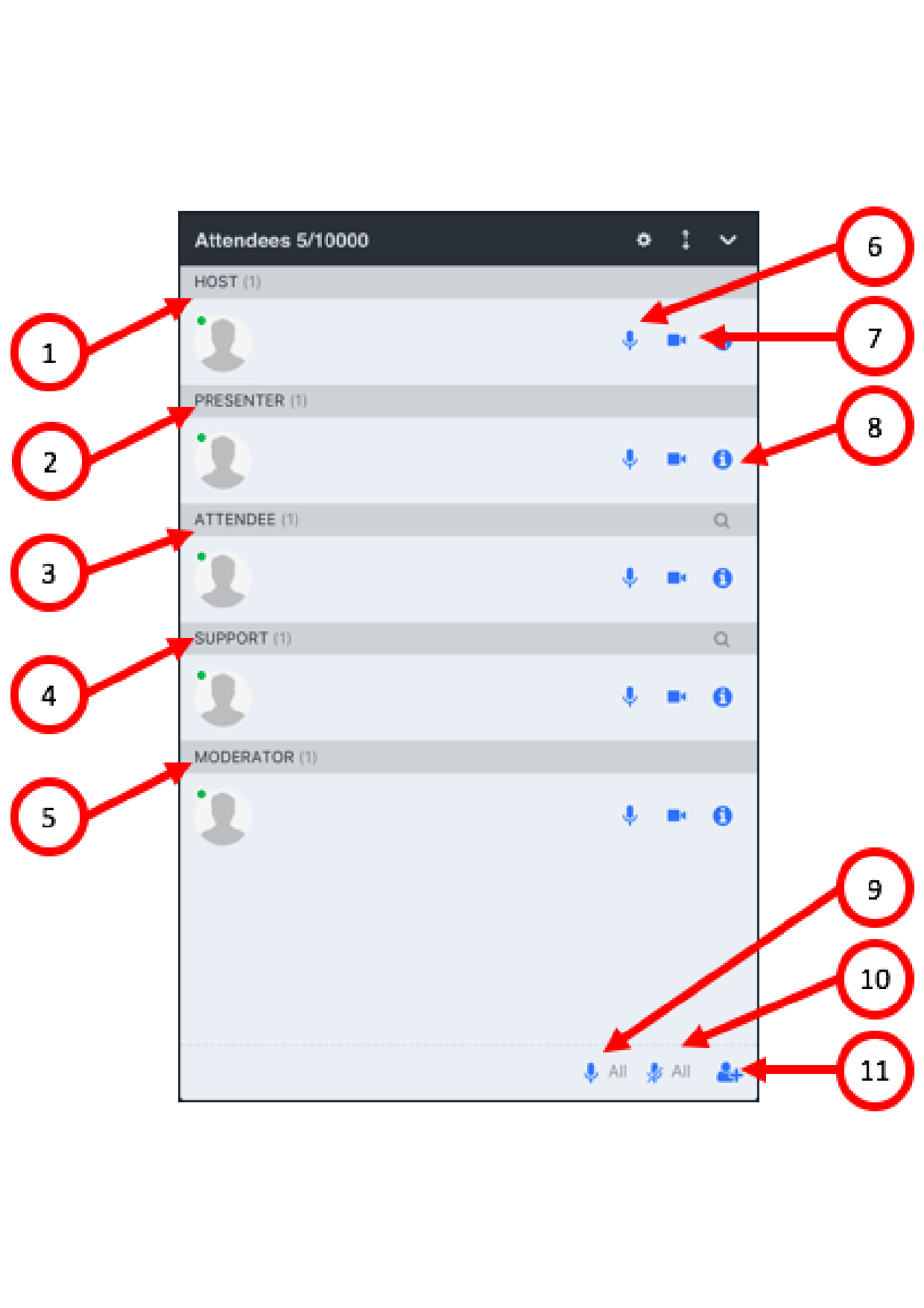
Participants - Roles
1. Host - has access to all the room functions
2. Presenter - has access to all the room functions
3. Attendee - has limited access to the room functions
4. Support - has limited access to the room functions
5.
Moderator - has limited access to the room functions
6. If you click on this microphone icon you will turn on your microphone or ask the participant to turn on his/her
7. If you will click on this camera icon you
will turn on your camera or ask the participant to turn on his/her
8. When you will click on the “i” icon you will see the participant's details
9. When you will click on this button you will give permission to speak
to all the participants
10. When you will click on this button you will mute all the participants
11. When you will click on this icon you can invite more participants to the meetting
All the participants'
roles can be defined on customer request